
You've downloaded another productivity app, convinced this one will finally organize your life. But here's a reality check: research shows that juggling multiple apps can slash your productivity by 40%. Instead of streamlining your workflow, you're drowning in notifications, switching between tools, and spending more time managing apps than actually working. This article reveals why app overload creates cognitive chaos, how it triggers decision fatigue, and practical strategies to simplify your digital toolkit for genuine efficiency gains in 2026.
Table of Contents
- How Cognitive Overload From App Overload Impacts Your Brain
- The Hidden Costs Of App Overload On Productivity And Focus
- Why Simplifying Your Productivity Toolkit Boosts Efficiency And Reduces Stress
- Strategies To Avoid App Overload And Maintain Productivity In 2026
- Discover A Simpler All-In-One Productivity Platform
- Frequently Asked Questions
Key takeaways
| Point | Details |
|---|---|
| Cognitive overload reduces efficiency | Using multiple productivity apps overwhelms working memory, causing decision fatigue and performance drops. |
| Task switching costs are real | Frequent app switching reduces productivity by up to 40% and increases error rates significantly. |
| Simplification boosts performance | Reducing tools and streamlining workflows can increase efficiency by 20-30% while lowering stress. |
| Mastery beats variety | Deeply learning a few integrated tools outperforms superficially using many fragmented apps. |
| Decision fatigue compounds daily | Managing numerous apps creates hundreds of micro-decisions that drain mental energy and focus. |
How cognitive overload from app overload impacts your brain
Your brain isn't designed to juggle endless productivity tools simultaneously. Cognitive load theory explains that working memory holds around 7 items, and exceeding this capacity tanks your performance. Every app you add to your workflow demands mental resources for navigation, decision-making, and context switching. When you're constantly bouncing between Notion, Todoist, Google Calendar, Evernote, and Slack, you're creating what researchers call extraneous cognitive load.
This overload happens because each app requires you to remember different interfaces, shortcuts, and organizational systems. Your working memory becomes a traffic jam of competing information. Studies demonstrate that multitasking increases cognitive load and reduces the brain's processing efficiency. The mental cost of switching between apps isn't trivial. Your brain needs time to reorient, reload context, and suppress the previous task's mental model.
Decision fatigue compounds these effects. Every time you wonder which app to use for a task, whether to log something in multiple places, or how to sync information across platforms, you're burning cognitive fuel. These micro-decisions accumulate throughout the day, leaving you mentally exhausted before tackling meaningful work. The result? You reduce mental clutter capacity and diminish your ability to focus on what matters.
Consider these cognitive effects of app overload:
- Memory strain from maintaining multiple mental models for different app interfaces
- Slower information recall when data is fragmented across platforms
- Increased error rates from confusion about where information lives
- Reduced capacity for deep thinking due to constant context switching
- Mental fatigue from hundreds of daily micro-decisions about tool usage
"The average person makes 35,000 decisions per day, and decision fatigue significantly impairs judgment and willpower as mental resources deplete."
Research on cognitive overload shows that exceeding working memory limits doesn't just slow you down. It fundamentally changes how your brain processes information. You shift from thoughtful, strategic thinking to reactive, surface-level responses. The decision fatigue research confirms that mental depletion from too many choices leads to poor decisions, procrastination, and avoidance behaviors. When your productivity system itself becomes a source of stress, you've defeated its purpose.
The hidden costs of app overload on productivity and focus
The productivity losses from app overload extend far beyond feeling scattered. Task switching between multiple apps creates measurable time penalties that compound throughout your day. Research confirms that switching reduces productivity by 40%, increases stress hormones, and slows your recall accuracy. Every time you jump from your calendar to your task manager to your notes app, you're paying a cognitive switching tax.

This switching cost isn't just about the seconds spent clicking between windows. Your brain requires up to 23 minutes to fully regain focus after an interruption. When you're managing five or six productivity apps, you're interrupting yourself constantly. The result is a fragmented workday where you never achieve deep focus. Data shows that professionals spend up to 4 hours weekly just managing their productivity tools rather than doing actual work.
Productivity paralysis occurs when maintaining your organizational system consumes more energy than the work itself. You spend time deciding which app to use, entering duplicate information, reconciling conflicting data, and troubleshooting sync issues. This creates a task completion drop of 15% because you're stuck in meta-work instead of meaningful progress. The irony is brutal: tools meant to enhance productivity become productivity vampires.
| Metric | App Overload (5+ tools) | Simplified Setup (2-3 tools) |
|---|---|---|
| Daily task completion rate | 65% | 85% |
| Average focus session length | 12 minutes | 32 minutes |
| Weekly time managing tools | 4 hours | 45 minutes |
| Self-reported stress level | High (7.2/10) | Moderate (4.1/10) |
| Error rate in task tracking | 18% | 6% |
Hidden costs accumulate in ways you might not immediately recognize:
- Increased error rates from manually syncing information across platforms
- Slower focus recovery after each app switch disrupts concentration
- Higher stress and anxiety from feeling perpetually behind on organization
- Time wasted troubleshooting integration failures and data conflicts
- Reduced job satisfaction from spending energy on tools instead of meaningful work
Pro Tip: Notice when you're spending more time organizing tasks than completing them. If you check multiple apps before starting work, experience anxiety about missed items, or frequently duplicate entries, you're experiencing productivity paralysis. Consolidate to a calm productivity system that reduces these friction points.
The cognitive switching penalties research demonstrates that your brain physically cannot multitask effectively. What feels like simultaneous processing is actually rapid switching that degrades performance. When your productivity toolkit forces constant switching, you're fighting your brain's natural limitations. Understanding why FloHub matters starts with recognizing these hidden costs in your current workflow.
Why simplifying your productivity toolkit boosts efficiency and reduces stress
Reducing your app collection isn't about doing less. It's about doing more with less cognitive friction. When you consolidate to fewer integrated tools, you reduce the mental burden of maintaining multiple systems. Your brain can develop automaticity with familiar interfaces instead of constantly relearning navigation patterns. Research shows that streamlining workflows increases efficiency by 20-30% while simultaneously reducing errors.
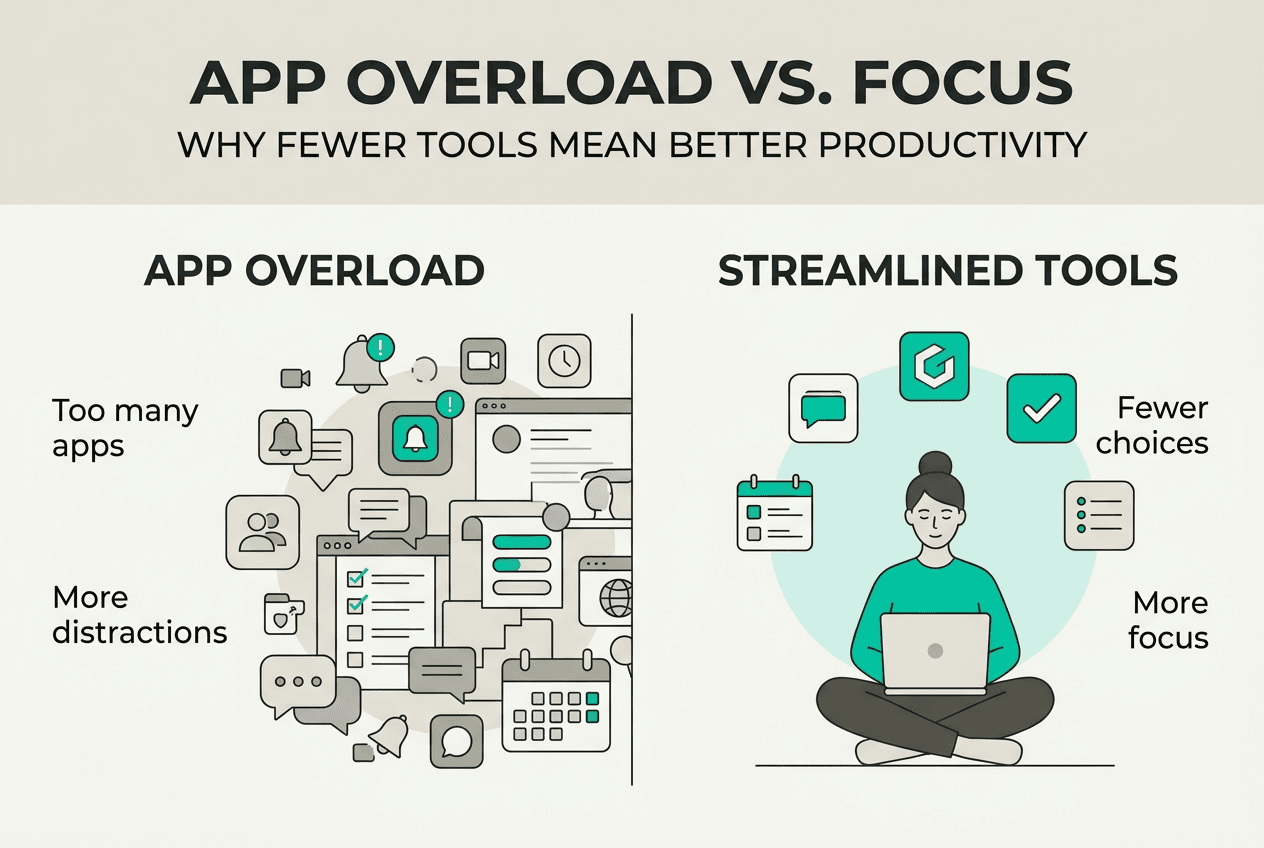
Case studies reveal compelling benefits. Engineering teams drowning in fragmented tools reported significant gains after consolidation. One team reduced their toolset from 12 applications to 4 integrated platforms and saw a 28% increase in sprint velocity. Another organization eliminated 6 redundant apps and reduced onboarding time for new employees by 40%. The pattern is consistent: fewer tools mean faster mastery, less context switching, and more mental energy for actual work.
Mastering a handful of tools creates compound benefits that juggling many apps never achieves. When you deeply understand your core productivity platform, you discover advanced features, build efficient workflows, and develop muscle memory. This mastery reduces cognitive load to near zero for routine tasks. Studies on AI tool productivity confirm that mastering foundation tools outperforms collecting superficial knowledge of many.
| Outcome | Many Fragmented Apps | Few Integrated Apps |
|---|---|---|
| Time to proficiency | 8-12 weeks | 2-4 weeks |
| Daily efficiency gain | Baseline | +25% |
| Error rate | 15-20% | 5-8% |
| User satisfaction | 5.2/10 | 8.1/10 |
| Monthly tool management time | 16 hours | 3 hours |
Simplification delivers tangible benefits:
- Less decision fatigue from eliminating constant tool-selection choices
- Easier mastery when you invest learning time in fewer platforms
- Deeper focus sessions without interruptions from app switching
- Lower stress from maintaining a manageable organizational system
- Better data integrity when information lives in one integrated ecosystem
Pro Tip: Apply the 80/20 rule to your productivity toolkit. Identify the 20% of features you use 80% of the time, then choose tools that excel at those core functions. Avoid over-customization that creates complexity without proportional value. A simple, well-executed system beats an elaborate, fragile one.
The shift to personal organisation through integrated platforms addresses cognitive load at its source. Instead of maintaining mental maps of multiple apps, you develop one cohesive system. Features like AI task management within unified platforms eliminate the need to switch between separate task lists, calendars, and note apps. This integration reduces cognitive load saturation that occurs when managing disconnected systems.
Strategies to avoid app overload and maintain productivity in 2026
Taking control of app overload requires deliberate action and ongoing discipline. Start with a comprehensive audit of your current productivity toolkit. List every app you use for tasks, calendaring, notes, habits, communication, and project management. Be honest about which tools you actually use versus those gathering digital dust. This audit reveals redundancies and overlaps that drain your cognitive resources.
Next, evaluate each app against clear criteria. Does it serve a unique, essential function? Does it integrate well with your other tools? Are you using more than 30% of its features? If an app fails these tests, it's a candidate for elimination. Consolidation doesn't mean losing functionality. It means choosing versatile platforms that handle multiple needs without forcing you to switch contexts constantly.
Choosing the right essential tools requires understanding your actual workflow, not your aspirational one. Many people adopt apps for features they think they should use rather than functions they genuinely need. Focus on tools that support your real daily patterns. Integration matters more than individual features. A platform that connects tasks, calendar, and notes seamlessly beats three separate best-in-class apps that don't communicate.
Here are proven best practices for sustainable productivity tool use in 2026:
- Limit your core productivity stack to 2-3 integrated platforms maximum
- Disable all non-essential notifications to reduce interruption-driven switching
- Batch similar tasks within single apps rather than fragmenting across multiple tools
- Schedule weekly reviews to assess whether your current tools still serve your needs
- Resist the temptation to add new apps without removing existing ones first
- Invest time learning advanced features of your core tools before seeking new apps
- Use automation to connect necessary tools rather than manually syncing data
- Establish clear rules for what information lives where to prevent duplication
Mastering fewer tools dramatically reduces switching costs. When you know keyboard shortcuts, understand advanced features, and have muscle memory for common actions, your productivity system becomes invisible. You stop thinking about the tools and focus entirely on the work. This is the goal: technology that disappears into the background while supporting your efforts.
Pro Tip: Leverage AI-powered assistants within comprehensive platforms to unify workflows. Modern FloHub features include intelligent task suggestions, automated scheduling, and contextual note linking that eliminate the need for separate specialized apps. This reduces decision points while maintaining functionality.
Ongoing evaluation prevents tool creep. Set quarterly checkpoints to review your productivity stack. Ask yourself: Am I using this app weekly? Does it reduce or increase my cognitive load? Could another tool I already use handle this function? Be ruthless about cutting apps that don't earn their place. Research on decision fatigue from tool switching shows that added tools multiply decision complexity exponentially, not linearly.
The goal isn't minimalism for its own sake. It's optimizing for deep work and sustained focus. Every app you eliminate removes friction, reduces decisions, and frees mental energy for meaningful tasks. Professionals using FloHub for busy workflows report that consolidation creates breathing room in their days. They spend less time managing systems and more time achieving goals.
Discover a simpler all-in-one productivity platform
If app overload is fragmenting your focus and draining your energy, FloHub offers a unified solution. This comprehensive platform consolidates tasks, calendar events, notes, and habits into a single customizable dashboard. Instead of switching between multiple apps throughout your day, you access everything from one interface that reduces cognitive load and decision fatigue.
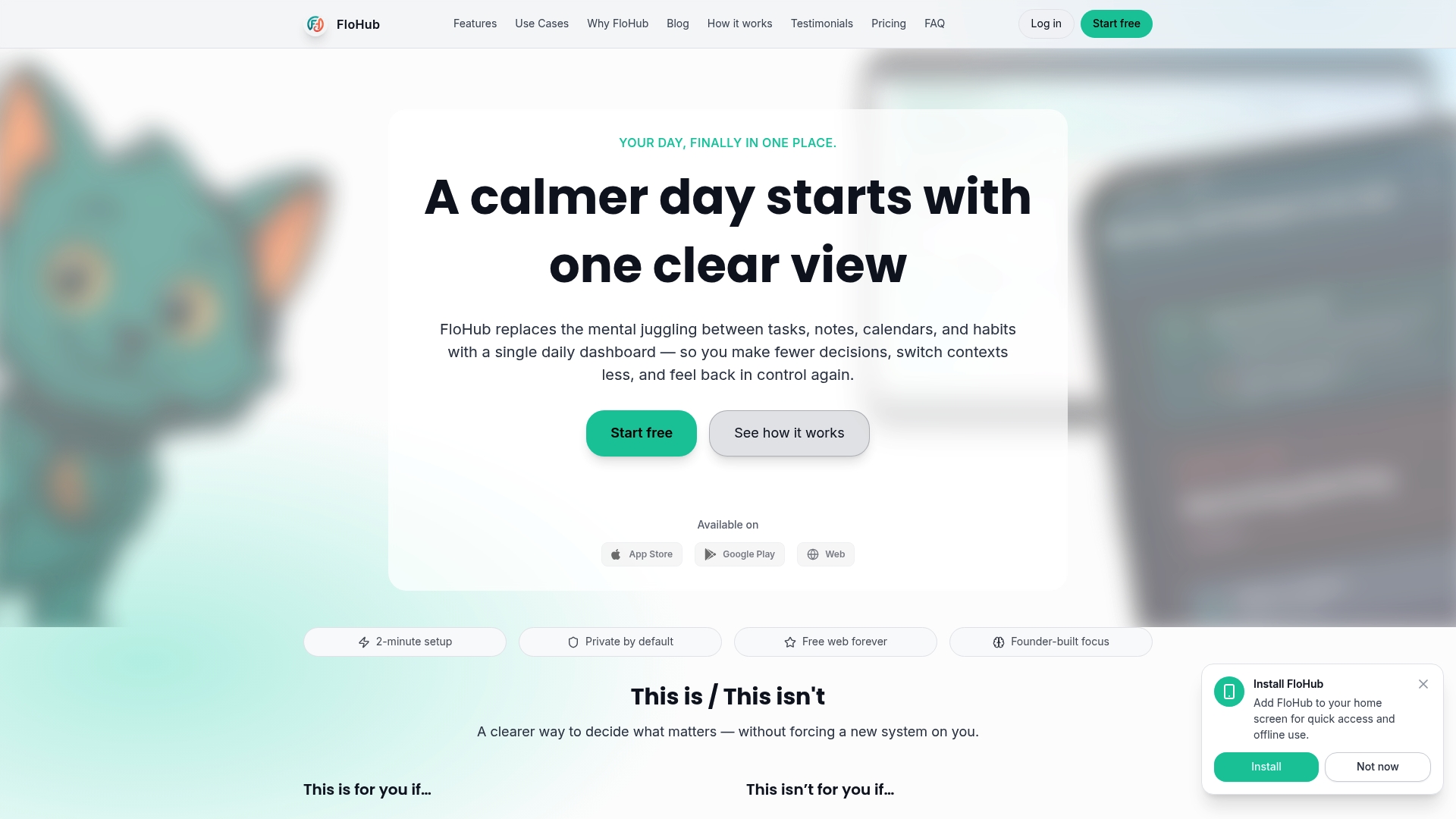
FloHub's AI-powered features intelligently connect related information without manual effort. Tasks automatically link to relevant calendar events, notes attach to specific dates, and habit tracking integrates seamlessly with your daily schedule. This integration eliminates the context switching that kills productivity. The platform works across all devices, syncing effortlessly so you maintain one source of truth for your organizational needs.
Pro Tip: Use FloHub's AI assistant to minimize app switches and decision fatigue. The assistant suggests task priorities, identifies scheduling conflicts, and surfaces relevant notes based on your current context, reducing the mental effort required to stay organized.
Explore FloHub features to see how consolidation simplifies your workflow. Discover why FloHub helps professionals and students achieve calm, focused productivity without juggling multiple fragmented tools.
Frequently asked questions
What is app overload and why is it harmful?
App overload occurs when you use too many productivity tools simultaneously, creating cognitive burden and decision fatigue. Each additional app demands mental resources for navigation, context switching, and information management. This fragmentation reduces performance, increases errors, and leaves you mentally exhausted from managing tools rather than completing work. Research shows that excessive app switching can reduce productivity by up to 40% while significantly increasing stress levels.
How does cognitive load theory explain the impact of many apps?
Cognitive load theory demonstrates that working memory has limited capacity, typically holding around 7 items simultaneously. Each productivity app you use adds to this cognitive burden by requiring you to maintain separate mental models, remember different interfaces, and manage information across platforms. When you exceed working memory limits, your brain's processing efficiency drops dramatically, leading to slower performance, more mistakes, and reduced ability to focus on complex tasks. Simplifying to fewer integrated tools reduces this load and improves cognitive performance.
What are practical tips to reduce app overload effectively?
Start by auditing all productivity apps you currently use and identifying redundancies. Choose versatile platforms that consolidate multiple functions like tasks, calendars, and notes into unified interfaces. Limit notifications aggressively to reduce interruption-driven switching between apps. Batch similar tasks within single applications rather than fragmenting work across multiple tools. Regularly reassess your toolkit every quarter, removing apps that don't provide clear value or that duplicate functionality you already have elsewhere.
Can using an all-in-one platform prevent app overload?
All-in-one productivity platforms significantly reduce app overload by consolidating essential functions into a single interface. This eliminates the cognitive switching costs and decision fatigue that come from juggling multiple disconnected tools. When tasks, calendar events, notes, and habits live in one integrated system, you develop deep mastery instead of superficial familiarity with many apps. Choose platforms that offer the core features matching your actual workflow needs, ensuring seamless integration that supports focus rather than fragmenting it.